
 Meta Verified Tech Provider · 0% markup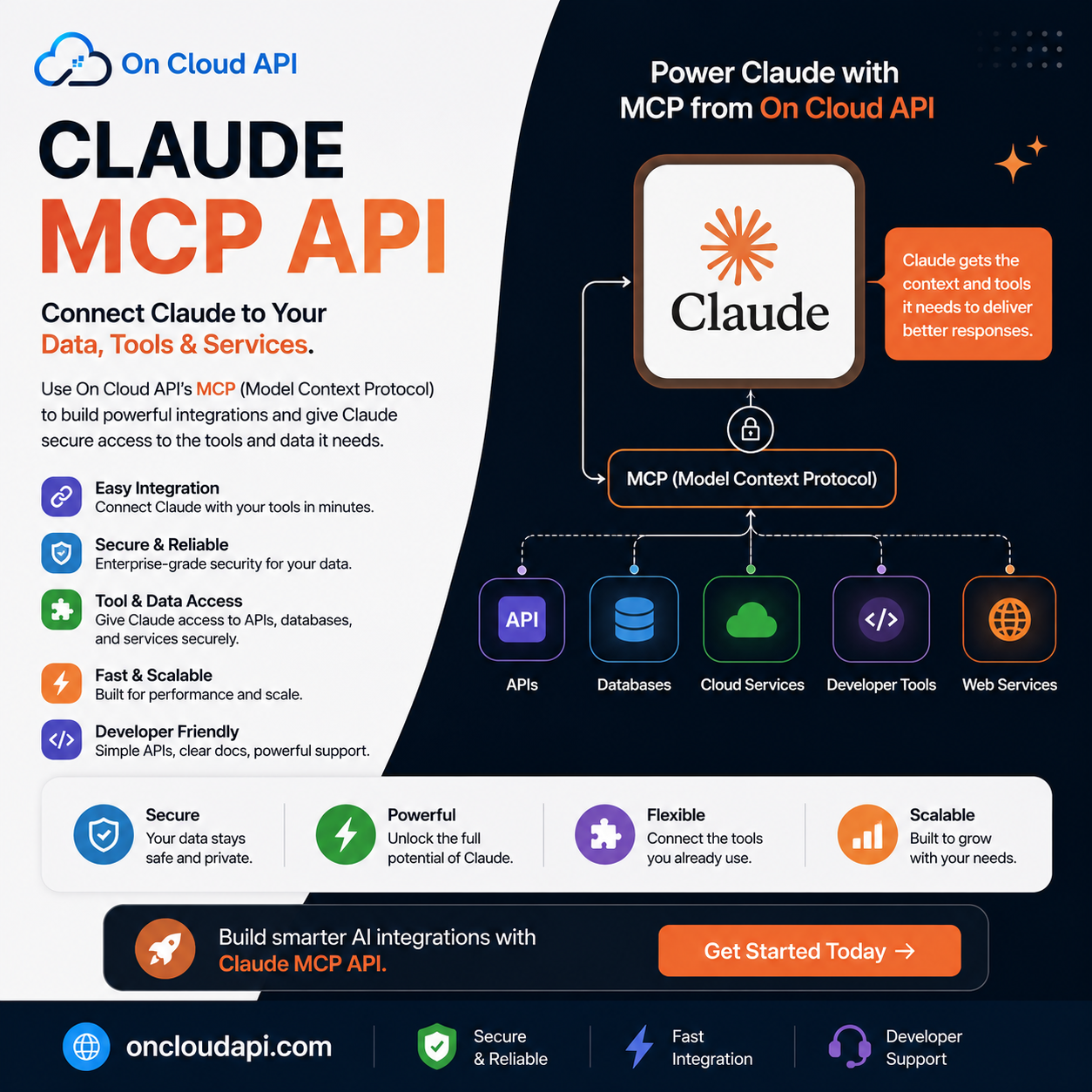
Manage Your Chats Through Claude: WhatsApp Business API + MCP Integration (2026)
Stop switching between apps. Stop copying messages into ChatGPT. Stop losing context. With On Cloud API's MCP integration, Claude AI now works directly inside your WhatsApp inbox. Read conversations. Draft intelligent replies. Manage customer relationships. All from natural language commands. 90%+ message open rates. AI-powered customer support at scale. Zero external redirects.
Your WhatsApp inbox is where real customer conversations happen. But managing those conversations is exhausting. You manually read 50+ messages. Copy interesting ones into Claude. Wait for a response. Paste back into WhatsApp. Copy again to your CRM. It's broken workflow. It's context loss. It's wasted hours every week.
Claude MCP changes this completely. Starting today, Claude can read your WhatsApp conversations directly. Understand context. Analyze customer needs. Draft personalized responses. Flag urgent issues. All while staying in your conversation flow. No copying. No pasting. No context loss. Just natural language: "Show me my unhappy customers from this week" — and Claude immediately analyzes your entire inbox, finds frustrated customers, and suggests how to win them back.
"The gap between having customer conversations and actually understanding them is closing. Teams that leverage AI-powered conversation intelligence will dominate. Everyone else will spend hours doing work machines should do."
What is Claude MCP? The Bridge Between AI & Your Inbox
MCP stands for Model Context Protocol. It's an open standard created by Anthropic that lets Claude connect directly to external tools, APIs, and data sources—without custom code for each integration. Think of it like USB-C for AI: one universal connector that lets Claude work with your calendar, your CRM, your database, or your WhatsApp inbox.
What this means for your business: Claude stops being just a chat interface. It becomes an active team member that can read your WhatsApp conversations, understand what's happening, and suggest actions. All through natural language conversation.
Before MCP: You → Copy message → Claude (web) → Analyze → Copy response → Paste to WhatsApp → Update CRM (5 separate apps, 10 minutes per customer)
With Claude MCP: You → Ask Claude (in Claude) → Claude reads WhatsApp directly → Suggests action → You approve → Auto-updates WhatsApp + CRM (1 app, 1 minute per customer)
Why Claude for Chat Management? It's Not a Chatbot
Traditional WhatsApp bots use decision trees: "If message contains 'price,' respond with template X." Claude uses actual reasoning:
"This customer is frustrated about delays, but they've been loyal for 2 years. Acknowledge pain, offer solution, + loyalty discount" — not a template.
Claude reads entire conversation history. Understands what was promised. What was delivered. What went wrong. Responds accordingly.
Claude understands your business rules: "For orders over PKR 10,000 from new customers, require manager approval before refunding."
Automatically flags issues Claude can't handle: "This customer is threatening legal action — escalate immediately."
Claude analyzes your conversation patterns: "80% of complaints are about shipping delays. Here's how to fix it."
Process hundreds of conversations per day. Sort by priority. Draft responses for similar issues. All instantly.
How Claude Manages Your WhatsApp: Step by Step
Real Example: Customer Support Team
Your support team gets 200+ WhatsApp messages daily. Here's exactly what happens with Claude MCP:
You Ask Claude (Natural Language)
"Show me my 10 most urgent unread messages. Prioritize by customer value and issue severity."
Claude Reads Your Inbox (Via MCP)
Claude connects to On Cloud API's WhatsApp Business platform. Reads all unread messages. Pulls conversation history for context. Analyzes customer metadata (lifetime value, past issues, account status).
Claude Analyzes & Ranks (Real Reasoning)
Claude doesn't just sort by timestamp. It understands: "Customer A spent PKR 500,000 with us + has urgent issue = Priority 1. Customer B's issue is solvable in 30 seconds = Priority 2."
Claude Suggests Actions (With Context)
"Customer A's order is lost in transit. They're frustrated. Here's a draft response acknowledging delay, offering replacement OR refund, + 20% discount for inconvenience. Want me to send this?"
You Review & Approve (Human Control)
You read Claude's suggestion. Edit if needed. Click approve. Claude sends immediately via WhatsApp using On Cloud API's official Meta infrastructure.
Claude Tracks & Learns (Continuous Improvement)
Claude notes: "Customer approved this response. Customer replied positively. This approach works for this customer segment. Remember for next time."
Real Use Cases: What Teams Actually Do
How to Connect Claude + WhatsApp: Setup Process
Complete setup takes about 30 minutes. No code required.
Create On Cloud API Account
Visit oncloudapi.com/signup. Email + Pakistani phone number. Takes 2 minutes. No credit card yet.
Verify Phone & Get WhatsApp Business Number
Verify your phone with OTP. Within 5 minutes, your WhatsApp Business Account is active. You get your API credentials + MCP server URL.
Open Claude Desktop or claude.ai
Go to Settings → Customize → Connectors (or Settings → Advanced depending on your version)
Add Custom MCP Connector
Click "Create Custom MCP" or "Add Connector" → Paste On Cloud API's MCP URL → Paste your API key from On Cloud API dashboard. Click Connect.
Test the Connection
In Claude, ask: "Show me my WhatsApp messages." Claude will connect and display your recent conversations. Connection successful!
Start Managing Your Chats
You're live. Start asking Claude to help with your conversations. "Find unhappy customers" → "Draft responses to common questions" → "What's my conversation sentiment this week?"
Start with read-only: For the first week, just let Claude READ your conversations. Don't give it send permissions yet. Observe how it analyzes your conversations. Once you see it understands your business, then enable draft/send permissions.
What Changes Immediately: Real Business Impact
Manually sorting 200+ messages takes 2 hours. Claude priorities them in 30 seconds. Your team responds to urgent issues immediately, not hours later.
One person can manage conversations that previously required 3-4 staff. Claude handles volume. Humans handle complexity. Payroll savings: PKR 200,000-500,000/month.
Faster responses + more thoughtful, context-aware replies = happier customers. Support satisfaction typically jumps 25-40%.
Claude continuously analyzes conversations. You learn exactly what customers want to change. Product roadmap becomes customer-driven.
Customers get faster, smarter responses. They feel heard. They buy again. Repeat purchase rates typically increase 20-35%.
Claude can run 24/7. Customers get immediate acknowledgment even outside business hours. Issues don't stack up overnight.
Why On Cloud API for Claude MCP? The Platform Matters
The Claude + WhatsApp Experience
Priority 1 (Urgent): Ahmed K. — Order missing entire package. PKR 8,500. Threatening refund demand.
Priority 2 (High): Fatima M. — Late delivery. Still wants item but frustrated with timeline.
Priority 3 (Medium): 5 customers with minor quality issues.
Patterns: 5/7 complaints are shipping delays. 2/7 are quality issues. Root cause: Recent courier partner change.
Want me to draft responses for each, or shall we address the courier issue first?
Security, Control & Trust: You Own Everything
Official Meta APIs = Official Security
All communication flows through Meta's official encrypted infrastructure. Messages encrypted in transit. Data encrypted at rest. On Cloud API never accesses raw customer data. Claude never stores customer information.
You Control Permissions
You decide exactly what Claude can do. Read-only mode: Claude analyzes but can't send. Draft mode: Claude creates messages but you approve before sending. Auto-send mode (advanced): You set rules, Claude executes automatically.
Your Data Stays Yours
Your WhatsApp number is yours. Your customer data is yours. Your conversation history is yours. If you leave On Cloud API, you keep everything. This is only possible because On Cloud API uses official Meta APIs (not a reseller platform that owns the underlying account).
Frequently Asked Questions
Ready to Manage Your Chats Through Claude Today?
Join 500+ Pakistani businesses. Connect in 30 minutes. Official Meta APIs. No middlemen. Your customers. Your data. Your business. Manage conversations at scale with AI reasoning.