 Meta Verified Tech Provider · 0% markup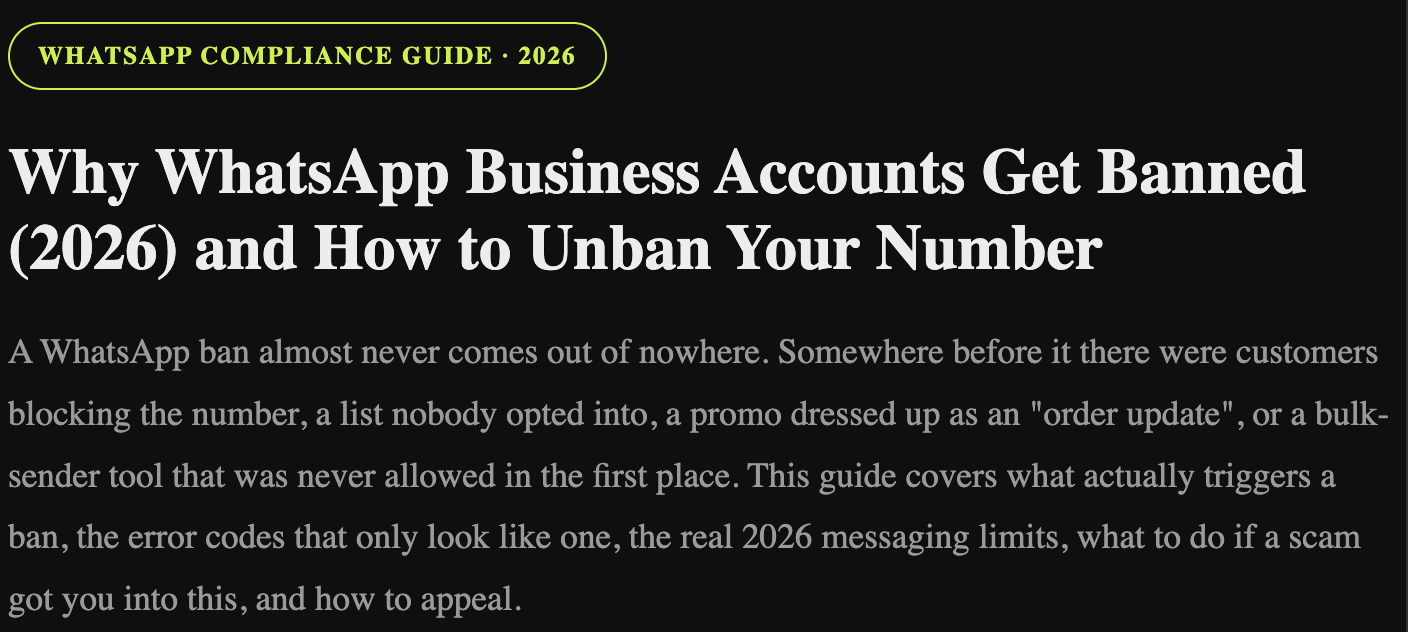
WhatsApp compliance guide · 2026
Why WhatsApp Business Accounts Get Banned (2026) and How to Unban Your Number
A WhatsApp ban almost never comes out of nowhere. Somewhere before it there were customers blocking the number, a list nobody opted into, a promo dressed up as an "order update", or a bulk-sender tool that was never allowed in the first place. This guide covers what actually triggers a ban, the error codes that only look like one, the real 2026 messaging limits, what to do if a scam got you into this, and how to appeal.
We handle these cases every week at On Cloud API, mostly from business owners in Pakistan and the UAE who woke up to a dead number and a queue of customers they can't reply to. So this is written the way we'd explain it to them: what went wrong, and what to do next, in order.
By On Cloud API team · Updated · Checked against Meta's messaging limits and policy documentation
- Quick answer
- Ban, restriction or paused template?
- Top reasons numbers get banned
- Quality rating explained
- Messaging limits in 2026
- Marketing message limits and error 131049
- Error codes that aren't a ban
- Warning signs before a ban
- How to avoid a ban
- How to recover and appeal
- Caught in a scam? What to do
- Unban help from On Cloud API
- FAQs
Quick answer
WhatsApp bans or restricts business numbers when people react badly to their messages or when Meta's policies are broken. The usual triggers are messaging people who never opted in, a high block and report rate, marketing sent as utility templates, bought or scraped contact lists, prohibited products or misleading content, and unofficial bulk senders or modified WhatsApp apps. If it happens, fix the cause first, then request a review in Meta Business Suite. The long-term fix is opted-in contacts, correct templates and the official WhatsApp Business Platform.
Ban, restriction or paused template? Know which one you have
"My WhatsApp got banned" can mean very different things. The fix depends on which one it is.
| What happened | What you see | How serious |
|---|---|---|
| Template paused (API) | One template stops sending after poor feedback. Meta pauses it for a few hours and can disable it if quality stays low. | Low. Fix or replace that template. |
| Low quality rating (API) | Number shows Medium or Low quality in WhatsApp Manager | Warning. Your limit stops growing and a restriction can follow. |
| Account restricted (API) | You can't start new conversations for a set period, but can still reply to customers who message you | Medium. Wait it out and fix the cause. |
| Account disabled (API) | WhatsApp Business Account disabled for a policy violation | High. Needs a review request. |
| App ban (Business App) | "This account is not allowed to use WhatsApp", sometimes a temporary ban with a timer | Temporary bans lift; permanent ones need an appeal from the app |
Top reasons WhatsApp Business numbers get banned
- Messaging people who never opted in. The number one cause. WhatsApp Business API policy (Meta's Business Messaging Policy) requires permission before you message someone, whatever tool you send from. Cold lists get blocked and reported fast.
- A high block and report rate. Every block and "report spam" tells Meta people don't want your messages. That feeds your quality rating directly.
- The wrong template category. Putting a promotion inside a utility or authentication template to pay less. Meta re-categorises these, and repeated misuse puts the account at risk.
- Bought, scraped or recycled lists. No consent, lots of wrong numbers, lots of reports.
- Prohibited products or misleading content. Selling things the Commerce Policy restricts, or offers that look like scams.
- Unofficial tools and modified apps. Chrome-extension bulk senders, "WhatsApp marketing software" that automates the app, and modified WhatsApp clients break WhatsApp's terms. They get detected and banned, often without warning.
- Misleading business identity. A display name that doesn't relate to your business, or using another brand's name or logo.
- Ignoring opt-outs. Messaging someone after they said stop is the quickest way to earn a report.
- Someone else misused your number. A hacked account, a former employee, or an agency running campaigns on your behalf. The ban lands on you either way.
Low engagement on its own isn't a policy violation. But on marketing messages, Meta limits delivery to people who don't engage (more on that below), so an ignored campaign costs you reach long before it costs you the number.
Your quality rating, explained
Meta rates each API phone number on how recipients reacted to your messages recently, mostly blocks and reports. You'll see it in WhatsApp Manager next to the number.
High (green)
Healthy. Your messaging limit can keep scaling up.
Medium (yellow)
Complaints are rising. Tighten your audience and content now.
Low (red)
Stop campaigns and find the cause. Low quality blocks scaling and can lead to restrictions.
Templates have their own quality rating too. A single bad template can be paused while the rest of your account keeps working, which is why it pays to watch template feedback, not just the number. Our guide on protecting your WhatsApp quality rating goes deeper on this.
WhatsApp messaging limits in 2026
A messaging limit is the number of unique people your business can message outside a customer service window in a rolling 24 hours. Replies to customers who messaged you first don't count. Since October 2025, limits are set at the business portfolio level and shared by every number in it, so one busy number can use up the whole portfolio's limit.
| Limit (unique users / 24h) | How you get there |
|---|---|
| 250 | Every new business portfolio starts here |
| 2,000 | Verify your business (or have your provider verify it), or deliver 2,000 messages to unique users within 30 days using high-quality templates |
| 10,000 | Automatic, if quality is high and you used at least half your limit in the last 7 days |
| 100,000 | Automatic, same rules |
| Unlimited | Automatic, same rules |
When you qualify, Meta raises the limit by one level within about six hours. Hitting the limit isn't a ban: extra messages simply aren't sent until the 24-hour window rolls on. But jumping a brand-new number straight to its limit with a cold list is exactly the pattern that ends in blocks and a low rating.
Marketing message limits and error 131049
Separately from your own limit, Meta caps how many marketing messages each WhatsApp user receives from businesses, and it favours messages people are likely to engage with. Meta doesn't publish a fixed number. If your marketing template isn't delivered for this reason, the API returns error 131049, meaning the message wasn't delivered "to maintain healthy ecosystem engagement". It isn't a penalty on your account. Don't retry immediately; try later, and focus marketing on people who actually engage.
WhatsApp Business API error codes that aren't a ban
When the WhatsApp Business API is "not working" or messages stop arriving, it's easy to assume the worst. Check the error code in your webhook or provider logs first. Many of them are limits, not penalties.
| Error code | What it means | What to do |
|---|---|---|
| 131049 | Marketing message held back for ecosystem engagement | Not a penalty. Retry later and target engaged users. |
| 130429 | Throughput (rate limit) hit: too many messages per second from the number | Slow your send queue and retry with backoff. |
| 131056 | Too many messages to the same user in a short time (pair rate limit) | Wait before messaging that person again. |
| 131026 | Message undeliverable: the number isn't on WhatsApp, or the user's app can't receive it | Check the number. Don't keep retrying it. |
| 368 | Temporarily blocked for policy violations | This one is enforcement. Stop sending and read the recovery steps below. |
| 131031 | Business account locked or restricted | Enforcement. Check WhatsApp Manager and request a review. |
If messages go out but you're not receiving replies, the cause is usually the webhook, not a ban. Check that your app is subscribed to the WhatsApp Business Account and that the webhook URL is live.
Warning signs before a ban
- Your number's quality drops to Medium or Low in WhatsApp Manager.
- You get an email or WhatsApp Manager notification that a template was paused or re-categorised.
- Your messaging limit stops growing even though you're sending a lot.
- On the Business App: a message that your account "may be restricted", or a temporary ban with a countdown. That usually points to an unofficial tool or automation.
Any one of these is the moment to stop the campaign, not the moment to push harder.
How to avoid a WhatsApp ban
Do
- Collect clear opt-in: website checkbox, QR code, Click-to-WhatsApp ad, checkout consent
- Use utility templates only for real transactional updates
- Grow broadcast volume gradually on a new number instead of hitting the limit on day one
- Add an easy opt-out button and honour it straight away
- Check quality in WhatsApp Manager before every big campaign
- Use the official WhatsApp Business Platform through Meta or an approved provider
Don't
- Blast a cold list the day a number goes live
- Buy, scrape or recycle contact lists
- Use bulk-sender extensions or modified WhatsApp apps
- Disguise marketing as utility to pay less
- Keep messaging people who said stop
- Send links that look suspicious or shortened beyond recognition
If you're sending order confirmations, our COD order confirmation guide shows how to keep those flows clearly utility, and the Business App vs Business API comparison explains why bulk sending belongs on the API, not the app.
Already banned? How to recover and appeal
- Work out what you actually have. A paused template, a restriction or a disabled account (see the table above). A paused template needs a new template, not an appeal.
- Fix the cause first. Remove contacts without opt-in, fix template categories, stop any unofficial tools. Reopen without fixing it and you'll be back in the same place within days.
- Request a review. For an API account, open Meta Business Suite, go to Business Support Home (Account Quality) and request a review of the WhatsApp Business Account, or use the link in Meta's notification. For the Business App, use the appeal option on the ban screen.
- Keep the explanation short and factual. What happened, how customers opted in, and what you've changed. Evidence of opt-in helps.
- Wait for the decision. Meta emails the result. Reinstatement isn't guaranteed, and a second appeal without new facts rarely changes it.
Caught in a scam or a banned tool? What to do
A lot of the banned numbers we see belong to people who were sold something. A "WhatsApp marketing software" that sends from the app, a cheap "unofficial API", a "guaranteed blue tick" offer, or a caller asking for the verification code. None of it was their idea to break the rules, but WhatsApp still banned the number.
- Stop using the tool now. Uninstall bulk-sender extensions and modified apps, and disconnect any "unofficial API" from your number.
- If someone took over your account, re-register the number in WhatsApp with the SMS code, turn on two-step verification, and tell your customers on other channels not to trust messages from that number until it's back under control.
- Save the evidence. Payment receipts, chats with the seller, screenshots. They help explain in your review request that the violation came from a tool or a person you've now cut off.
- Report the scam. In Pakistan, report financial fraud to the FIA's cybercrime wing; in the UAE, use the eCrime portal or your local police.
- Then request the review and move future bulk messaging to the official WhatsApp Business API, where it's allowed.
Need help unbanning your number? Our support team handles it
If you'd rather not go through this alone, On Cloud API's support team takes on WhatsApp unban cases, including numbers that got caught up in a scam, a grey-market tool or other activity WhatsApp doesn't allow. We work out exactly what kind of restriction you have, tell you honestly what caused it, help you fix it, and prepare and submit a clear, evidenced review request to Meta. After that, we can move your number onto the official WhatsApp Business API so it doesn't happen again.
WhatsApp number unban assistance: $20 service fee
The fee covers our team's time and effort on your case: diagnosis, fixing the cause, and preparing and following up the review. It's non-refundable, because that work is done whatever Meta decides. Only Meta can lift a ban, so no one can honestly guarantee the result. What we can promise is that your case is handled properly. We will never ask for your WhatsApp verification code or PIN.
The safer setup: the official WhatsApp Business Platform
Is the WhatsApp Business API safe? It's the only officially allowed way to send bulk messages, but it doesn't make you ban-proof. Spam gets restricted there too. What it gives you is structure: Meta-approved templates, a quality rating and messaging limits you can see, opt-out buttons, and no need for the grey-market tools that get app numbers banned in the first place.
On Cloud API is a Meta Verified Tech Provider on the official WhatsApp Cloud API, with 0% markup on Meta's rates. You get template management with category checks, opt-out handling and quality visibility in one dashboard. See how it works on the WhatsApp Cloud API page or compare plans on the pricing page. Pakistani businesses can start with WhatsApp Business API in Pakistan, and UAE businesses can compare options in our Dubai and UAE provider guide. If you want to keep chatting from the phone app too, ask us about Coexistence, which lets the WhatsApp Business App and the API run on the same number.
Frequently asked questions
Why does WhatsApp Business get banned?
Mostly because people react badly to the messages or because Meta's policies are broken. The common triggers are messaging people who never opted in, a high block and report rate, marketing sent as utility templates, bought or scraped contact lists, prohibited products, and unofficial bulk-sender tools or modified WhatsApp apps.
How do I avoid getting my WhatsApp Business number banned?
Only message people who opted in, use the correct template category, grow volume gradually on a new number, give an easy opt-out and honour it, check your quality rating in WhatsApp Manager before big campaigns, and use the official WhatsApp Business Platform instead of bulk-sender tools.
How do I recover a banned WhatsApp Business account?
First check whether a template was paused, the account was restricted, or the WhatsApp Business Account was disabled. Fix the cause, then request a review in Meta Business Suite under Business Support Home, or use the link in Meta's notification. Business App users appeal from the ban screen. Reinstatement isn't guaranteed.
Does bulk messaging get you banned on WhatsApp?
Bulk messaging from the free WhatsApp Business App or with unofficial sender tools often leads to bans because it breaks WhatsApp's terms. Bulk messaging through the official WhatsApp Business Platform is allowed if you use approved templates and only message people who opted in.
What does a low WhatsApp quality rating mean?
Meta rates each API phone number High, Medium or Low based on recent feedback such as blocks and reports. A Low rating stops your messaging limit from scaling and can lead to restrictions. Pause campaigns, remove contacts without opt-in and improve your templates to bring it back up.
How many messages can a new WhatsApp Business API number send?
A new business portfolio can message 250 unique people outside a customer service window in a rolling 24 hours. Verifying your business, or delivering 2,000 messages with high-quality templates within 30 days, raises it to 2,000. After that it scales automatically to 10,000, 100,000 and unlimited if quality is high and you use at least half your limit. Limits are shared across all numbers in the business portfolio.
What is WhatsApp error code 131049?
Error 131049 means Meta didn't deliver a marketing template to maintain healthy ecosystem engagement. Meta limits how many marketing messages each user receives and favours messages people engage with. It isn't a penalty on your account. Try again later rather than immediately, and target people who engage.
Why is my WhatsApp Business API not working or not receiving messages?
Check the error code first. Codes like 131049, 130429, 131056 and 131026 are delivery or rate limits, not bans. Codes 368 and 131031 mean enforcement on the account. If messages send but replies don't arrive, check that your app is subscribed to the WhatsApp Business Account and your webhook URL is working.
Can On Cloud API help unban my WhatsApp number?
Yes. On Cloud API's support team handles WhatsApp unban cases, including numbers caught up in scams or tools WhatsApp doesn't allow. We diagnose the restriction, help fix the cause, and prepare and submit the review request to Meta. The service fee is $20 and is non-refundable because it covers our team's time and effort. Only Meta can lift a ban, so the outcome can't be guaranteed.
Can I send WhatsApp marketing messages to US numbers?
Not at the moment. Meta paused delivery of marketing templates to +1 United States numbers from 1 April 2025, and the pause was still in place in 2026. Utility and authentication templates to US numbers are still delivered.
Sources: Meta for Developers, Messaging Limits (updated May 2026); WhatsApp Business Messaging Policy and Commerce Policy; Meta's WhatsApp Cloud API error code reference. Meta's rules change, so check WhatsApp Manager and Meta's policy pages for the current version.